
The Best Claude Integrations to Boost Your Productivity


Have you ever spent more time switching between apps than actually getting work done?
One minute you’re searching through Google Drive, the next you’re checking Slack messages, then opening GitHub, and finally trying to remember what was written in Notion. All that context switching adds up.
Most people know Anthropic Claude as a smart AI assistant for writing and answering questions. But Claude becomes much more useful when it can connect with the tools you already use every day.
With Claude AI integrations, you can search documents, summarize conversations, draft emails, organize projects, and automate repetitive work without constantly jumping between applications.
In this guide, you’ll discover the Best Claude Integrations available today, who they’re best for, and practical ways to use them to save time.

Why Claude Integrations Matter
Think of an integration as a bridge between Claude and another app. Instead of uploading files one by one or copying information into a chat, Claude can work with connected tools to help you complete tasks faster.
These Claude AI integrations can help you:
- Reduce repetitive work
- Spend less time switching between apps
- Find information faster
- Improve collaboration with teammates
- Create more efficient workflows
The Best Claude Integrations to Boost Your Productivity
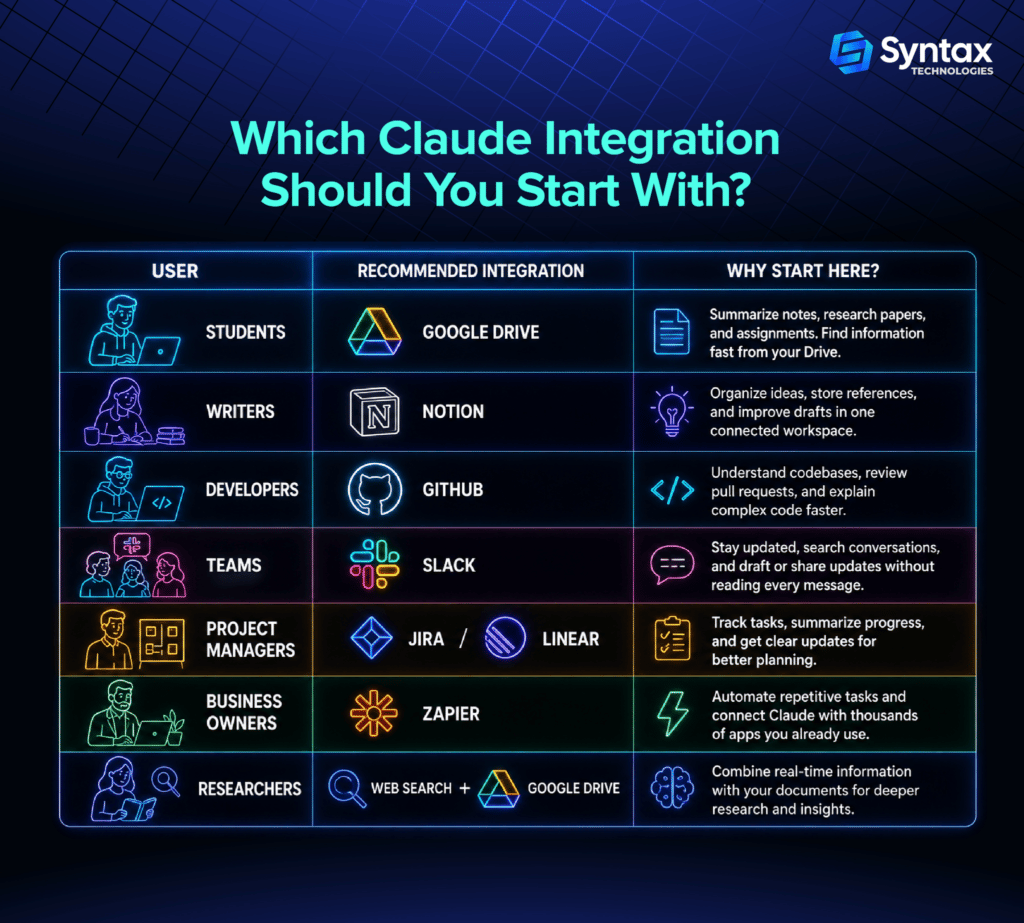
- Google Drive
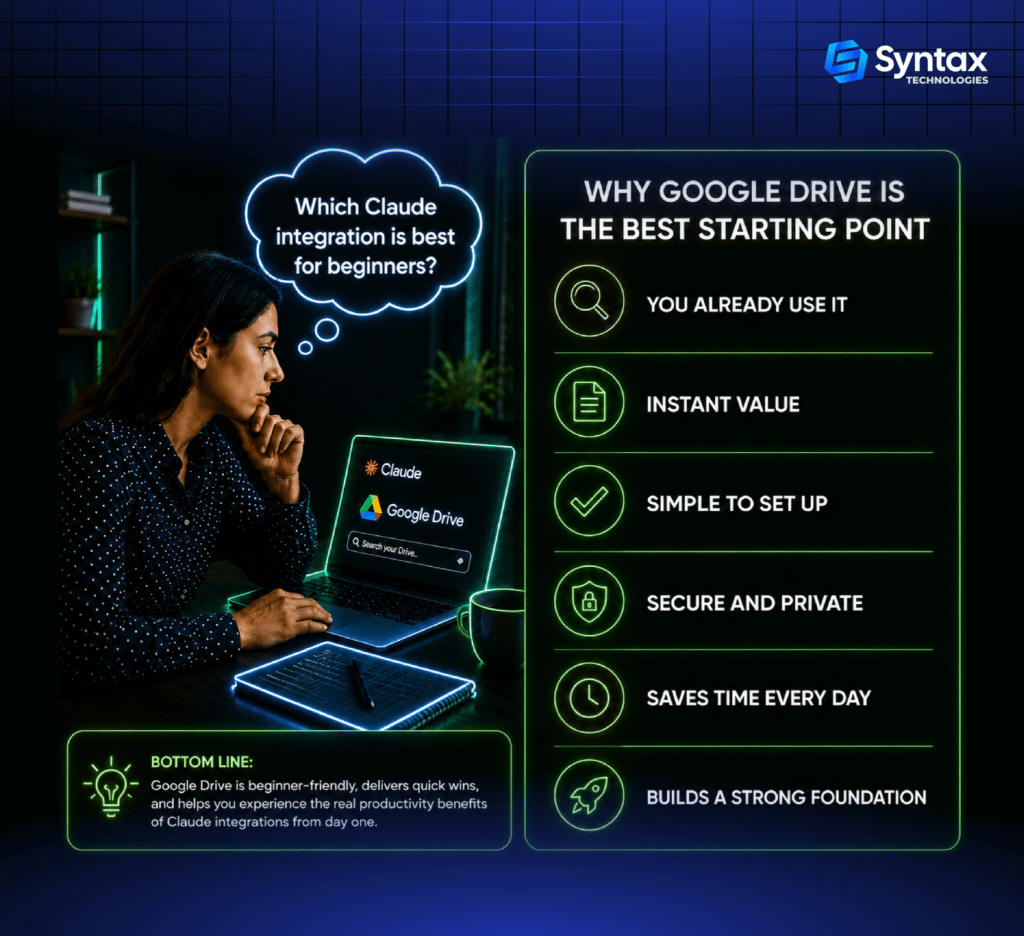
Google Drive is one of Claude’s official connectors.
It lets Claude search your documents, analyze files, summarize reports, and answer questions using information stored in your Drive. You can also attach Drive files directly to chats or projects.
Best for:
- Students
- Researchers
- Business teams
- Writers
Example
Imagine you have 20 research papers in Google Drive. Instead of opening each one, ask Claude to summarize the key findings across all of them.
- Gmail
Another official Google Workspace connector is Gmail.
Claude can search your inbox, read email content, organize conversations, and draft replies. It creates drafts for your review rather than sending emails automatically.
Best for:
- Professionals
- Recruiters
- Sales teams
- Freelancers
Example
Ask Claude:
“Find every email about the marketing campaign from last month and draft a follow-up.”
- Slack
Slack is where many teams communicate all day.
Connecting Claude allows it to search conversations, answer questions using team discussions, and help draft or post updates where appropriate.
Best for:
- Remote teams
- Startups
- Project managers
Example
Instead of reading hundreds of messages after vacation, ask Claude for a summary of everything important.
- GitHub
Developers can connect Claude with GitHub repositories through the official integration.
Claude can review code, explain complex files, help investigate issues, and assist with pull requests using repository context.
Best for:
- Developers
- Engineering teams
- Students learning programming
Example
Ask Claude to explain an unfamiliar codebase before making changes.
- Notion
Notion is a popular workspace for notes, documentation, and knowledge management.
Claude can work with Notion through supported connectors, helping you search notes, summarize documentation, and organize information. Availability depends on the connector you use.
Best for:
- Writers
- Researchers
- Knowledge workers
Example
Turn several meeting notes into a clean project summary with action items.
- Zapier
Zapier is a third-party automation platform rather than a native Claude connector.
It can connect Claude with thousands of applications to create automated workflows.
Best for:
- Small businesses
- Marketing teams
- Entrepreneurs
Example
When a new customer fills out a form:
- Save the information
- Generate a summary with Claude
- Send it to your CRM
- Notify your team
- Jira
Jira is widely used for software development and project tracking.
With a connector, Claude can help review tickets, summarize project status, explain requirements, and assist with planning while respecting your workspace permissions.
Best for:
- Agile teams
- Project managers
- Developers
Example
Ask Claude to summarize every open ticket before your sprint planning meeting.
- Linear
Linear has become a favorite project management platform for modern software teams.
Claude can search issues, help create tasks, summarize development progress, and organize work through supported connectors.
Best for:
- Product managers
- Engineering teams
- Startups
Example
Generate a weekly project update from completed issues.
- Web Search
Claude’s built-in web search helps it find current information instead of relying only on existing knowledge. It’s especially useful for research and fact-checking. Web search is available on supported plans.
Best for:
- Researchers
- Students
- Writers
- Analysts
Example
Compare the latest industry reports before writing a market analysis.
- MCP-Compatible Tools (Advanced)
Model Context Protocol (MCP) is an open standard created by Anthropic that allows Claude to connect with many additional applications beyond native integrations. Through MCP, Claude can work with tools such as Figma, Asana, internal company systems, databases, and custom applications, depending on the connector that has been installed.
Best for:
- Power users
- Developers
- Businesses with custom workflows
Example
A design team connects Claude to Figma and Slack. Claude reviews design feedback, summarizes comments, and prepares updates for the product team.
Tips for Getting the Most Out of Claude Integrations
To get the best results from Claude connected apps, keep these practical tips in mind:
- Organize your files before connecting services.
- Give Claude clear instructions instead of vague requests.
- Combine multiple integrations for richer workflows.
- Review AI-generated outputs before sending or publishing them.
- Protect sensitive information by understanding what each connector can access and following your organization’s security policies.
- Create repeatable workflows for tasks you perform every week.
Conclusion
The Best Claude Integrations do much more than connect apps. They help reduce context switching, automate repetitive work, and keep information flowing between the tools you already use.
Whether you’re using Google Drive, Slack, GitHub, Notion, Zapier, or Jira, the goal is the same: spend less time managing work and more time completing it.
You don’t need to connect everything at once. Start with the integration that matches your daily routine, experiment with simple workflows, and build from there.