
How to Use Claude to Build an AI Second Brain


Ever wasted time searching for a file, note, or idea you know you saved?
With information coming at us from every direction, it’s easy to feel overwhelmed. An AI second brain helps you capture, organize, and find what matters—so you can spend less time searching and more time thinking.
Claude AI makes this simple. It can organize your notes, summarize documents, connect ideas, and help you turn scattered information into knowledge you can actually use.
In this guide, you’ll learn how to use Claude to build an AI second brain that helps you stay organized and work smarter.

What Is an AI Second Brain?
An AI second brain is a digital system that helps you store and organize information outside your own memory. The idea comes from personal knowledge management, which is simply the practice of collecting useful information so you can easily find and use it later.
Instead of trying to remember every detail, your second brain keeps track of things like:
- Meeting notes
- Research articles
- Study materials
- Project plans
- Business ideas
- Work documents
- Brainstorms
- Checklists
The goal isn’t to replace your brain. It’s to free your mind from remembering every little detail so you can spend more time solving problems, making decisions, and creating new ideas.
Why Claude Works So Well as an AI Second Brain
Many AI productivity tools can summarize text, but Claude AI is especially useful for working with large amounts of information.
It can help you:
- Read and summarize long documents
- Organize scattered notes into clear sections
- Identify key ideas and action items
- Explain complex topics in simple language
- Compare information from different sources
- Connect related ideas across projects
- Answer questions based on uploaded content
- Support ongoing Claude projects with structured knowledge
Step-by-Step: Build Your AI Second Brain with Claude
Step 1: Collect Everything
Start by gathering the information you already have. This might include:
- Notes
- PDFs
- Meeting summaries
- Emails
- Research articles
- Project documents
- Brainstorming ideas
- Learning resources
The goal is simply to capture information before it’s forgotten.
Step 2: Organize by Topic or Project
Next, group similar information together. For example:
- Career
- Learning
- Job Search
- Marketing
- Business
- Personal Finance
- Health
- Research
Organizing information by project makes it much easier to find later and supports better AI knowledge management.
Step 3: Ask Claude to Summarize Everything
Ask it to create:
- Executive summaries
- Key takeaways
- Action items
- FAQs
- Checklists
- Study guides
This turns long documents into quick references that are easier to review.
Step 4: Turn Information into Knowledge
Ask Claude questions like:
- What patterns do you notice?
- How are these ideas connected?
- Can you explain this topic more simply?
- What should I learn next?
- Can you compare these approaches?
This is where AI note-taking becomes true knowledge management. Instead of just storing information, you’re building understanding.
Step 5: Reuse Your Knowledge
A great digital second brain saves time because you can reuse what you’ve already learned. Claude can help you:
- Write emails
- Prepare for interviews
- Draft reports
- Create presentations
- Brainstorm ideas
- Answer work questions quickly
- Review meeting notes before discussions
- Build learning plans
Over time, your knowledge becomes easier to access instead of starting from scratch every time.

Best Practices for Building Your AI Second Brain
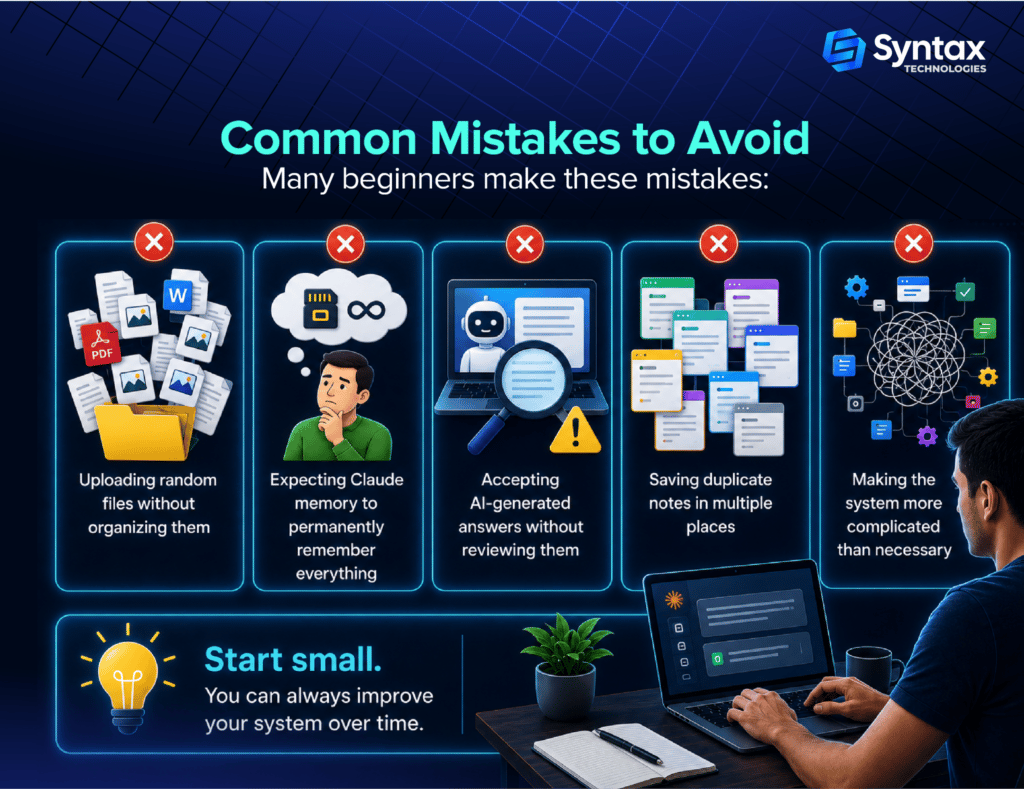
Keep your system simple by following these habits:
- Keep related documents together.
- Give projects clear and consistent names.
- Review and update your information regularly.
- Ask Claude follow-up questions instead of starting over each time.
- Use similar prompts for recurring tasks to save time.
- Protect sensitive or confidential information and follow your organisation’s privacy policies when using AI tools.
- Focus on keeping information useful instead of perfectly organized.
The Future of AI Second Brains
AI assistants are quickly becoming everyday tools for learning, research, and work.
As AI for professionals continues to improve, knowledge management will become more conversational and more useful. Instead of searching through endless files, you’ll increasingly be able to ask natural questions and receive organized answers based on your own information.
The best time to start isn’t when you have the perfect system. It’s today.
Begin with one project, one folder, or one collection of notes. As your knowledge grows, your AI second brain can grow with it.
Conclusion
Building an AI second brain isn’t about replacing your thinking. It’s about reducing mental clutter so your brain can focus on creativity, learning, problem-solving, and meaningful work.
With Claude AI, you can organize information, connect ideas, and reuse knowledge without feeling overwhelmed. Whether you’re a student, job seeker, freelancer, entrepreneur, or experienced professional, even a simple system can save time and help you work smarter.