
Can AI Really Build a Complete Website Without a Developer?

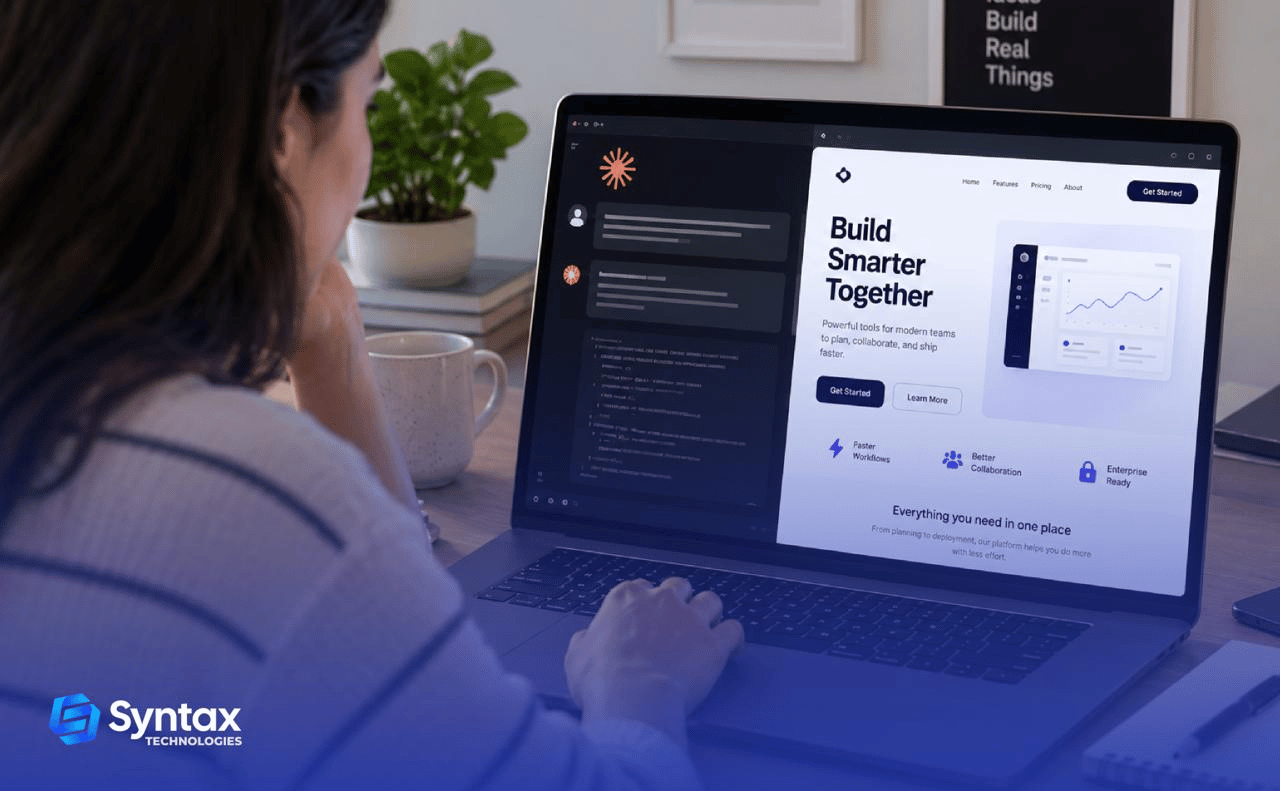
Imagine describing your idea to AI:
“Build me a website where users can sign up, manage projects, and make payments.”
Minutes later, you have a working website. It sounds almost too good to be true.
So, can AI really build a complete website without a developer?
Yes—for some projects.
Modern AI website development tools like Claude Code can help build frontends, backends, databases, APIs, and even assist with testing and deployment.
But here’s the catch:
A website that works is not always a website that’s ready for the real world.
Generating code is one thing. Making sure that code is secure, reliable, scalable, and maintainable is another.
So, how much can AI actually build—and where do human developers still come in?
Let’s find out.

Quick Answer: How Much Can AI Actually Build?
Modern AI website development tools like Claude Code can help with almost every stage of building a website—from frontend and backend development to databases, APIs, testing, and deployment.
But capability doesn’t always mean complete independence.
The infographic below shows what AI can realistically handle and where human expertise is still needed.

The bigger and more complex the website, the more important human judgment becomes.
What Does a “Complete Website” Actually Mean?
When someone says:
“AI built my website.”
That could mean almost anything.
Maybe AI created a landing page with three sections. Or maybe it created a full application with thousands of lines of code.
A modern website can have several different layers. Think of a website like a restaurant:
- Frontend: The dining room customers see and interact with.
- Backend: The kitchen where things happen behind the scenes.
- Database: The pantry where important information is stored.
- APIs: The communication system that connects different services.
- Authentication: The system that knows who is allowed inside.
- Testing: Checking whether everything actually works.
- Deployment: Opening the restaurant to the public.
- Maintenance: Keeping the restaurant running after opening day.
AI can now help with every one of these layers. But helping with every layer does not necessarily mean it can manage every layer perfectly without supervision.
What Can Claude Code Actually Do When Building a Website?
When Claude Code is configured with access to a development environment, it can work more like an AI coding agent.
In practical terms, a typical workflow might look like this:
Step 1: You describe what you want
For example:
“Build a project management application where users can sign up, create projects, assign tasks, and track progress.”
Step 2: AI examines the existing project
It can look at the codebase and understand how files and components are organized.
Step 3: AI creates or modifies the frontend
It might build pages, forms, dashboards, navigation, and reusable UI components.
Step 4: AI helps build the backend
It can generate routes, business logic, authentication flows, and database queries.
Step 5: AI connects services
This could include databases, email providers, payment systems, or other APIs.
Step 6: AI runs and analyzes tests
It can help identify failures and suggest changes.
Step 7: You review what happened
This step matters.
Anthropic has also introduced checkpoints that let users review changes and rewind Claude Code to a previous state, reinforcing the importance of oversight and control when using AI coding tools.
Can AI Build the Frontend of a Website?
Yes—and this is one of AI’s strongest areas.
The frontend includes everything users see and interact with, from pages and forms to navigation and dashboards.
With AI coding, you can describe what you want in plain English and generate much of the interface quickly. For anyone looking to build website with AI, the frontend is often the easiest place to start.
Can AI Build Reusable Components?
Yes—but organizing them is the harder part.
AI can create reusable components such as buttons, forms, navigation bars, and product cards.
The challenge comes as the website grows. AI can build the individual pieces, but someone still needs to decide how those pieces should work together.
Can AI Build the Backend?
Yes, but generating backend code is only part of the job.
The backend handles user accounts, business logic, data processing, permissions, APIs, and payments.
Modern AI website development tools can generate much of this functionality. But real-world problems often appear outside the original prompt.
For example:
- Can users access data they shouldn’t?
- What happens when the database fails?
- What if a payment doesn’t go through?
AI can write the code. Human expertise becomes more important when handling unexpected situations.
Can AI Create and Manage a Database?
Yes—but designing for the future is harder.
AI can help design database tables, create relationships, write queries, and connect databases to an application.
This works well for many projects. But as an application grows, early database decisions can affect performance and maintenance.
Can AI Build APIs and Connect Other Services?
Yes. AI can generate APIs and integration code effectively.
AI can help connect a website to payment processors, email platforms, CRMs, calendars, and other services. However, external systems can change, fail, or have usage limits.
This is one area where AI web development can save time—but integrations still need proper testing and maintenance.
Can AI Build a Website With Authentication?
Yes—but mistakes can be serious.
AI can help build sign-up systems, login pages, password resets, sessions, and user roles. However, authentication errors can expose user accounts or sensitive information.
AI-generated code should never be considered secure simply because it works without errors.
For websites handling sensitive data, human security review is strongly recommended.

Can AI Test Its Own Code?
AI can generate and run tests—but passing tests doesn’t mean the website is perfect.
AI can help create:
- Unit tests
- Integration tests
- End-to-end tests
This can save significant development time. But AI can only test the scenarios it considers or is asked to test. Unexpected edge cases can still be missed.
Testing should reflect how real users will actually use the website—not just whether the code runs.
Can Claude Code Fix Bugs?
Yes. Debugging is one of the most useful applications of Claude Code.
When something breaks, Claude Code can help:
- Read error messages
- Search relevant files
- Trace application logic
- Identify possible problems
- Suggest fixes
- Run tests
But a fix that makes an error disappear isn’t always the correct solution. The real challenge is finding the root cause without creating a new problem somewhere else. That’s where human judgment still matters.
Can AI Deploy a Website?
Yes, but deployment is more than clicking “publish.”
AI can help create deployment instructions, configuration files, build scripts, and CI/CD workflows.
For a simple website, that may be enough.
For a production application, you also need to consider:
- Environment variables
- API keys
- Failed deployments
- Database migrations
- Rollbacks
- Website monitoring
Launching a website is easy. Keeping it reliable is the harder part.
Can Claude Code Deploy a Website?
Yes, Claude Code can assist with deployment—but only when given access to the right environment and permissions.
AI does not automatically have access to your hosting account, cloud infrastructure, database, or private API keys.
Those permissions must be deliberately configured. This is important because giving an AI agent access to production infrastructure also introduces risk.
Prototype vs. Production: The Most Important Difference
This is where many people misunderstand AI website development.
A working prototype proves that an idea can work. A production website needs to be reliable, secure, scalable, and ready for real users.
The difference is simple: Building it is one thing. Running it in the real world is another.

What Happens When an AI-Built Website Breaks?
This is one of the questions people should ask before launching anything.
Imagine your website suddenly stops working.
Maybe:
- Users cannot log in.
- The database connection fails.
- Payments stop processing.
- An API changes.
- A new update breaks an existing feature.
Who fixes it? The answer depends on the problem.
AI might be able to help identify and fix the issue.
But someone still needs to:
- Understand the problem.
- Give AI the right context.
- Review the proposed solution.
- Test the fix.
- Deploy it safely.
This leads to an important principle:
Building the website is only the beginning. Maintaining the website is the long-term challenge.
How Reliable Is AI-Generated Code?
It depends on the code, the task, the instructions, the environment, and the review process.
AI-generated code can:
- Work correctly
- Be clean and readable
- Solve a problem quickly
It can also:
- Make incorrect assumptions
- Use an outdated approach
- Miss edge cases
- Introduce security problems
- Duplicate code unnecessarily
That’s why: “The code works.” is not the same thing as: “The code is production-ready.”
The Real Limitations of AI Coding
AI can do a lot, but it still has important limitations:
1. It Can Make Wrong Assumptions: AI may generate code based on incomplete or incorrect information—and the mistake may not always be obvious.
2. It Doesn’t Fully Understand Your Business: AI understands what you tell it, but it doesn’t automatically know your users, business rules, or specific requirements.
3. It Can Miss Edge Cases: AI-generated code may work in normal situations but fail when users do something unexpected.
4. It Doesn’t Automatically Plan for the Future: A solution that works today may become difficult to maintain as your website, users, and requirements grow.
The bottom line: AI can write the code, but human judgment is still important for making the right decisions.
Where Human Developers Are Still Needed
AI is becoming better at execution. An AI developer can use these tools to move faster, but human developers remain especially valuable when judgment becomes important.
- System Architecture: Deciding how an entire application should be structured.
- Security: Reviewing sensitive areas and protecting users and data.
- Complex Debugging: An AI developer may use AI tools to investigate problems, but finding issues involving multiple systems, assumptions, or real-world behavior still requires strong technical judgment.
- Performance: Making sure an application continues working as usage grows.
- Product Decisions: Understanding what users actually need.
- Code Review: Determining whether an AI-generated solution is actually appropriate.
- Complex Integrations: Handling systems with complicated requirements and failure scenarios.
- Production Incidents: Solving problems when something unexpected breaks in the real world.
If you’re interested in going beyond AI-assisted development, there’s another practical direction worth exploring: using AI to automate real work.
Ready to go beyond using AI to build websites? The AI Operator powered by Claude and AI tools Fellowship shows you how to build practical AI systems that handle research, content, operations, and sales—with 4 working automations built in 4 weeks and no coding required.
Can You Build a Website With AI Without Knowing How to Code?
Yes, but how far you can go depends on the complexity of what you’re building. If you want to build website with AI as a beginner, simple websites and prototypes are the best place to start.
Level 1: Complete Beginner
You can describe what you want. AI can generate a simple website. You may successfully create:
- Portfolios
- Landing pages
- Simple websites
- Basic prototypes
But troubleshooting becomes difficult when something breaks.
Level 2: Beginner With Basic Technical Knowledge
You understand:
- Files
- HTML
- CSS
- Basic JavaScript
- Error messages
Now you can work with AI much more effectively. You don’t need to write every line yourself. But you can understand what AI is doing.
Level 3: Someone Who Can Debug
Now things become much more powerful. You can:
- Identify errors
- Ask better questions
- Test changes
- Reject bad suggestions
This is where AI coding becomes significantly more useful.
Level 4: Developer or Technical Expert
At this level, AI can become a powerful force multiplier. Instead of writing every line manually, you can spend more time on:
- Architecture
- Reviewing code
- Product decisions
- Complex debugging
The important point is: The same AI tool can produce very different results depending on the person using it.

What Skills Should You Learn if AI Can Write Code?
The stronger long-term combination is:
- Programming Fundamentals: Understand what the code is actually doing.
- Problem Solving: Learn how to break a large problem into smaller ones.
- Debugging: One of the most valuable skills in an AI-assisted world.
- Databases: Understand where information lives and how it moves.
- APIs: Learn how applications communicate with each other.
- System Design: Understand how the entire application fits together.
- Security Basics: Know how to recognize obvious risks.
- AI Tooling: Learn how to work effectively with tools such as Claude Code.
Combining software development knowledge with AI tools can help professionals work more effectively as AI-assisted development becomes more common.
Should You Use AI to Build Your Website?
AI May Be Enough If:
- You’re building a personal portfolio.
- You’re creating a landing page.
- The project is simple.
- You’re comfortable experimenting.
- A temporary bug would not cause serious harm.
- You’re willing to learn as you go.
AI + Human Review Is Better If:
- Users are creating accounts.
- You’re collecting customer information.
- You’re processing payments.
- The application has multiple integrations.
- The website will be publicly used.
Experienced Developers Are Essential If:
- You handle highly sensitive data.
- Security failures could seriously harm users.
- The application supports a large number of users.
- You have complex business rules.
- Downtime could cause significant financial damage.

Frequently Asked Questions
Can AI build a complete website from scratch?
Yes. AI can help build the frontend, backend, database, APIs, and deployment setup, although complex projects still need human oversight.
Can Claude Code build a full-stack application?
Yes. Claude Code can work across a codebase, create and modify frontend and backend code, run tests, and help debug issues.
Can AI create a database?
Yes. AI can help design database schemas, create tables, write queries, and connect databases to applications.
Can AI build APIs?
Yes. AI can generate APIs and connect applications to external services, but integrations still need testing and maintenance.
Can AI fix bugs in an existing website?
Yes. AI can analyze errors, identify potential causes, suggest fixes, and help test them. Complex bugs may still require a developer.
Can AI deploy a website?
Yes. AI can assist with deployment configurations and workflows, but the actual process depends on the hosting environment, permissions, and infrastructure.
Can I build a website with AI if I don’t know how to code?
Yes, especially for simple websites and prototypes. Basic coding knowledge will make it much easier to troubleshoot and review AI-generated solutions.
Is AI-generated code safe to use in production?
Not automatically. AI-generated code should be tested and reviewed, especially when handling sensitive data, authentication, or payments.
What happens when an AI-built website breaks?
AI can help diagnose and fix the problem, but someone still needs to review, test, and safely deploy the fix.
Is a Claude website builder the same as Claude Code?
No. Claude website builder is a search term people may use for building websites with Claude, while Claude Code is an AI coding tool designed to work with codebases.
Do I still need a developer if I use AI coding tools?
For simple projects, not necessarily. Complex, security-sensitive, or business-critical applications still benefit greatly from experienced developers.
Will AI replace web developers?
AI is changing how developers work, but technical expertise remains valuable for architecture, security, debugging, problem-solving, and decision-making.
The Final Verdict: Can AI Really Build a Complete Website Without a Developer?
Yes, but with an important point to keep in mind.
AI can now build much of a complete website, including the frontend, backend, database, APIs, authentication, testing, and deployment setup. Tools like Claude Code can handle a large part of the AI website development process.
But building a working website is different from building one that is secure, scalable, reliable, and ready for real users.
For simple websites and prototypes, AI may require very little developer involvement. For complex or business-critical applications, human expertise is still essential for architecture, security, debugging, testing, and long-term maintenance.
AI can build a lot of the website, but developers still provide the judgment needed to build it right.